
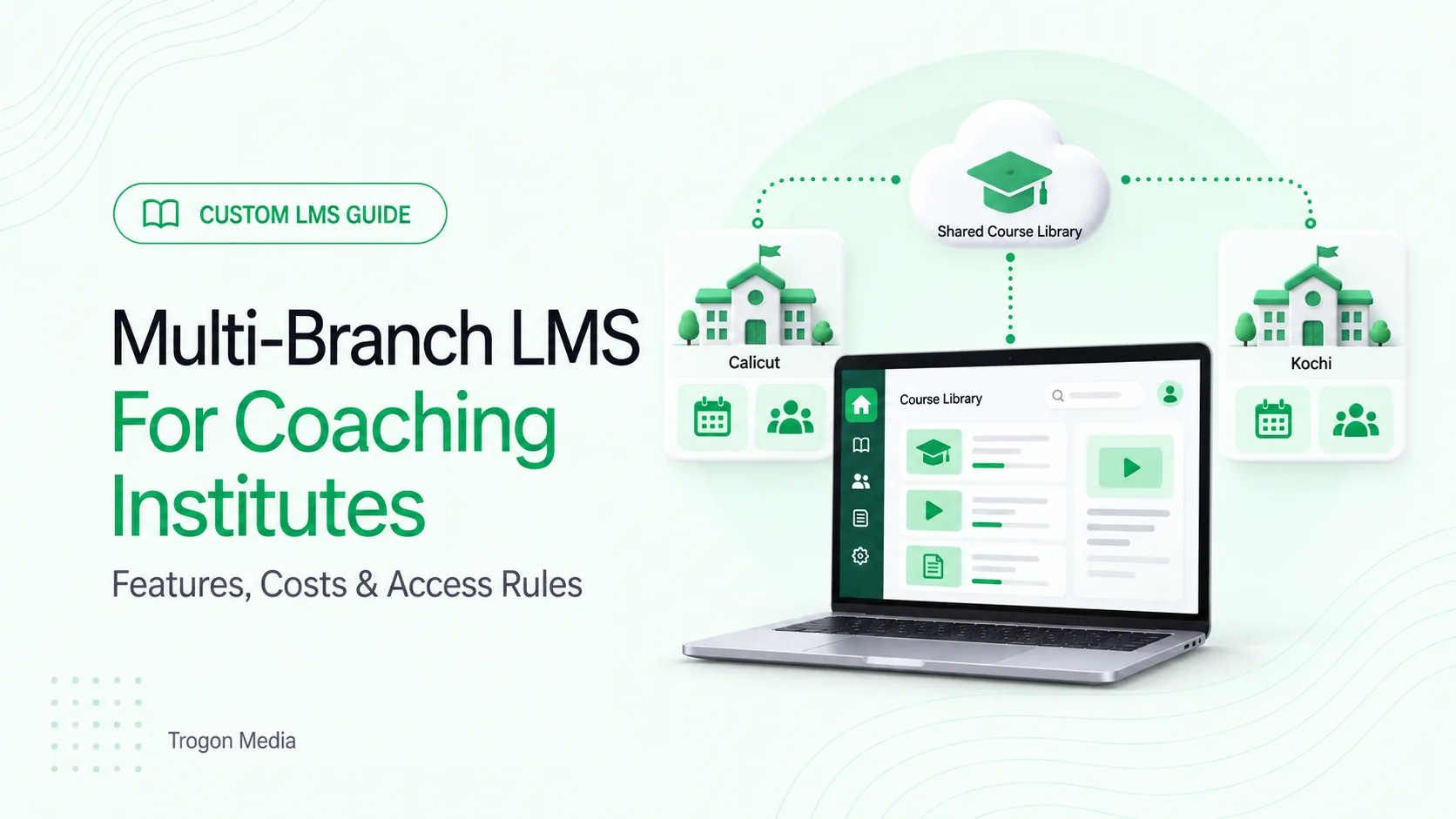
Consider a coaching institute with a weekday batch in Calicut and a weekend batch in Kochi. Head office corrects a shared lesson after Calicut has finished it, while Kochi is due to start tomorrow. Which version should each batch see?
A multi-branch LMS should let you share courses and review performance centrally while branches manage their own batches, schedules and authorised records. Before choosing one, define what head office controls, what branches can change and how those rules behave during everyday work.
Start with a course your institute already teaches. Ask the vendor to demonstrate it through two branches.
What is a multi-branch LMS?
A multi-branch LMS is a learning management system serving several centres through one platform, combining a shared course library and central reporting with separate branch administration. The scope should specify which students, batches, staff and records each user can access across those centres.
A branch and a batch are different. Your Calicut branch might run morning, evening and weekend batches of the same course. Each batch needs its own schedule.
For an LMS for coaching institutes, keep teaching requirements visible alongside administration. Fee collection and attendance matter, but so do assignments, question banks and assessments, revision materials and progress.
If you already use an ERP, the system holding admissions, fees and attendance, decide which records it will continue to manage. Ask how the LMS will receive the information it needs. Our CRM and LMS integration guide covers the handover from enquiry and admission to learner access.
Multi-branch LMS features: what should be shared?
Write down the rules before comparing feature lists.
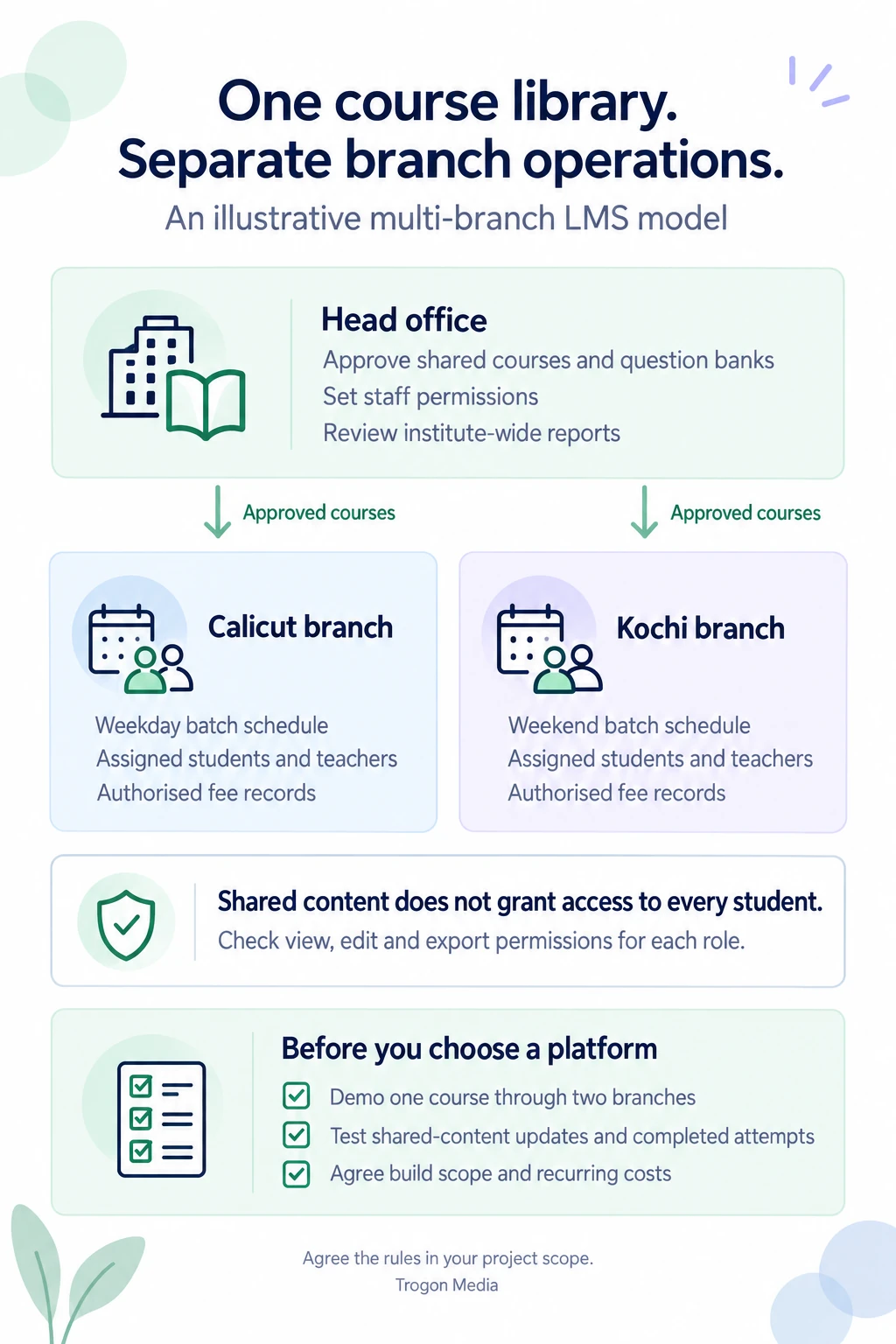
The following is a starting model for an institute with a common curriculum. Adjust it where branches teach different courses or have different responsibilities.
| Area | Head office controls | Branch-level responsibility |
|---|---|---|
| Course library | Approved lessons, notes and course structure | Assigning approved courses to local batches |
| Question banks | Shared questions, answer keys and revisions | Scheduling tests from approved material |
| Batches | Common rules where needed | Timetables, teachers and enrolments |
| Student records | Approved central oversight | Access to records assigned to that branch |
| Staff permissions | Who can receive each level of access | Work within assigned branches and batches |
| Fees | Agreed policies and consolidated visibility | Local schedules and authorised collection records |
| Reports | Institute-wide comparisons | Local attendance, progress and follow-up |
Treat this table as a set of responsibilities to agree with your provider, then ask them to demonstrate each workflow.
Sharing a course shouldn't automatically share its students. A teacher may need the common chemistry library and one assigned batch. That doesn't give them a reason to view every branch's student list or payment records.
Separate view, edit and export permissions too. Someone who checks a fee balance may not be authorised to change it.
At Trogon Media, our custom LMS development in Kerala can follow this model: shared courses and central reporting, with separate branch students, batches, fees and staff permissions. The detailed rules belong in the agreed scope.
How shared courses work with local batch schedules
The following multi-branch LMS workflow is an illustrative example.
Your academic team prepares a physics course for Calicut and Kochi, where both branches teach the same syllabus but start on different dates.
A useful demonstration would follow these steps:
- Create the course in the central library.
- Approve its lessons, notes and assessments.
- Make the course available to the selected branches.
- Assign it to each branch's batches.
- Set lesson and test dates for each batch.
- Check access using a student account from each branch.
Making a course available to a branch shouldn't necessarily make every lesson visible to its students that day. Specify the difference between approving content, assigning a course and releasing a lesson.
Now test a change.
Suppose head office corrects an answer in a shared test. The Calicut batch has submitted it, while Kochi hasn't attempted it yet. You need a rule for both situations.
For future attempts, decide when the corrected version becomes active. For completed attempts, decide whether scores remain unchanged or an authorised person reviews and approves recalculation. Keep the earlier attempt understandable to the teacher and student.
Don't leave this decision inside a general promise that courses “stay in sync.”
Local additions need their own rule. A branch might upload a revision worksheet for its evening batch. Should that worksheet remain local, become available to head office for review, or enter the shared library?
We recommend agreeing these rules before approving the course-publishing screen, because they determine what happens to teaching already in progress.
Use your actual calendar during the demo. A Monday class and a Sunday class can share material while needing different reminders, deadlines and teacher assignments. Include a postponed class so you can see which dates and messages change. For online sessions, our live-class integration guide explains what to check for class access, attendance and recordings.
Branch permissions: what should each person see?
Start with the work each person needs to do. OWASP's application-security guidance recommends granting only the access needed for that work and checking permissions on every request. Read the authorisation guidance.
For your multi-branch LMS, turn that principle into an access table:
| Role | Suggested access | Restriction to check |
|---|---|---|
| Institute owner | Approved reports across branches | Sensitive changes still follow assigned authority |
| Branch manager | Own branch's students, schedules and reports | Other branches remain unavailable unless assigned |
| Teacher | Assigned courses and batches | Unassigned students and financial records stay outside their access |
| Accounts staff | Authorised fee records and collection tasks | Course publishing and academic changes require separate permission |
| Student | Own enrolments, released lessons and results | Other students' records remain unavailable |
These are proposed rules, not a universal template. A teacher working in two branches needs access to both assigned batches, without receiving manager access at either location.
Check the restrictions as carefully as the allowed actions. In the vendor's test environment, ask them to demonstrate:
- A branch manager searching for a student at another branch.
- A teacher opening a report outside their assigned batches.
- An accounts user trying to change shared course material.
- A transferred employee losing access to their previous branch.
A hidden menu isn't enough. Ask the developer to verify that restrictions also apply to saved links, report downloads and requests behind the screen. OWASP's guidance for shared applications covers separation across data access, files and background processing. Read the isolation guidance.
A buyer's demo helps confirm the intended behaviour. The developer should also test the underlying controls; a successful walkthrough alone doesn't establish that the system is secure.
Before requesting a quote, list each staff role, the branches it can access and the changes it can make. Include one person who works across branches.
Check branch reports before trusting the totals
For a multi-branch LMS, agree what each total means.
Imagine one student takes a classroom course in Calicut and an online revision course managed from Kochi. Your institute has one learner and two course enrolments. A report should distinguish those measures rather than label both “students.”
Transfers need the same care. Decide whether an attendance entry remains attributed to the branch where the class happened, even after the student moves.
Ask to see a report with:
- Unique learners and course enrolments shown separately.
- Branch and batch filters.
- Attendance or progress for a defined period.
- Clear handling of transfers and withdrawn enrolments.
Comparisons also need context. A batch that started last week shouldn't appear to be falling behind one that has studied for three months. Compare equivalent teaching periods or stages, and keep the dates visible.
For payment reports, agree how offline collections, outstanding balances and refunds reach the dashboard, and label the totals according to what they include. If branches collect fees in stages, define installment payment and student-access rules alongside those reports.
What does a multi-branch LMS cost?
Building and running the platform are separate expenses.
As of September 2026, Trogon's custom LMS builds start from ₹3 lakh. That's the general starting price, not a fixed quote for every multi-branch setup. Your scope determines the estimate. See our custom LMS development cost guide.
For a multi-branch LMS, ask the proposal to explain these cost drivers:
| Requirement | Detail that affects scope |
|---|---|
| Branch access | Simple branch roles or staff with different permissions across locations |
| Course distribution | Shared material, local additions and rules for updates |
| Reporting | Standard branch totals or custom comparisons and historical records |
| Existing systems | Connections to admissions, fees, attendance or other tools |
| Migration | Available exports and migration scope, duplicate records and existing branch assignments |
| Web and mobile | Which tasks need web or mobile access |
Branch count is only one input. Two locations with different enrolment processes and existing systems can require more integration work than several locations following one agreed workflow.
Trogon charges no LMS licence fee and no per-student fee. We also take no commission on student payments. Recurring infrastructure costs still apply through the AMC, covering the services used, such as servers, video hosting, storage, live classes and OTP messages.
Those expenses can rise with usage. Our LMS scalability guide explains why overlapping classes and exams matter alongside total student numbers. Your payment provider may also charge its own processing fees.
Request the operating assumptions in writing. Also confirm what opening another branch would cost, including configuration, additional development and infrastructure.
When is standard software enough?
Having several branches doesn't automatically justify a custom build.
A standard platform may suit you if its existing branch permissions, shared courses, scheduling and reports meet your requirements. It can offer a lower upfront commitment and a faster start.
Custom development deserves consideration when a required workflow doesn't fit. For example, you need course access to follow rules from an existing admissions system, or a teacher's authority changes between branches.
Before deciding, ask the standard provider to demonstrate the exception. Identify whether it needs ordinary configuration, a supported integration or development the platform cannot accommodate.
Our custom, white-label and pre-built LMS guide explains the wider trade-offs.
For a multi-branch LMS, start with one shared course, two branch schedules and the permissions your staff need. Use those to compare proposals. A platform deserves your attention when it handles that work clearly.
Once you have defined the first release, use our custom LMS development timeline to plan your reviews, staff inputs and launch preparation.
Share your branch count, approximate student numbers, existing systems and one workflow your current platform cannot handle. Our LMS development team in Kerala can use those details to discuss the scope of a custom build and the costs to include in your estimate.
Plan your branches together
Discuss your multi-branch LMS
Share your branch count, student numbers, existing systems and one workflow you need to improve.
Connect on WhatsApp