
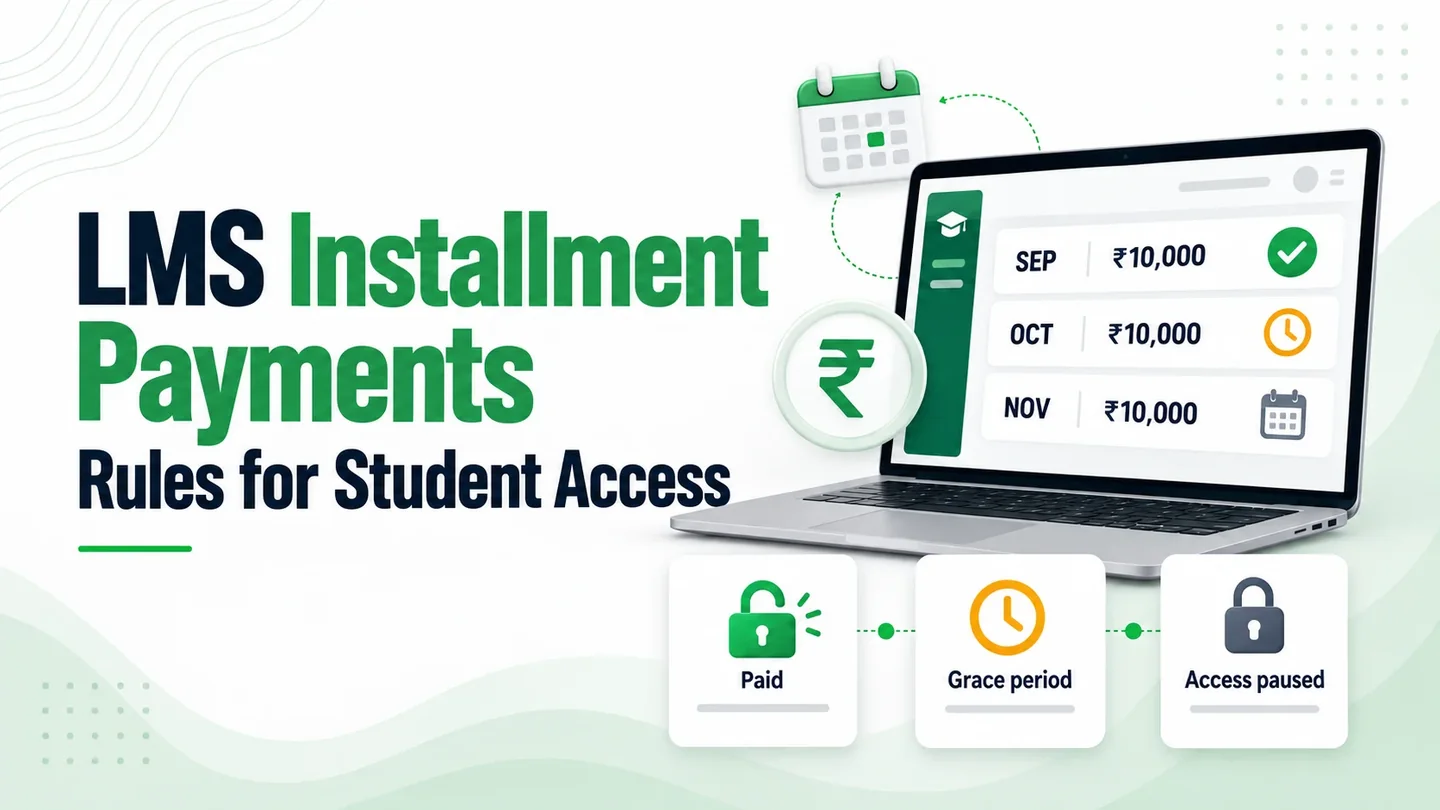
A student pays the first ₹10,000 of a ₹30,000 course. A month later, the second instalment is overdue, and the next live class starts in an hour. Your accounts team wants payment. The teacher needs to know whether the student can join.
LMS installment payments should connect each student’s fee schedule to clear access rules. Decide what the first payment opens, how overdue fees affect learning, and who can approve an exception. Students should see those terms before they enrol.
For coaching centres and training institutes, the details matter: a parent pays at reception, a student gets an extension, or a course includes separately priced tests. Those situations need a defined workflow.
If your current platform already handles your rules, use it. A custom build becomes relevant when your staff keep working around restrictions in the software.
The course-fee examples below are illustrative.
Choose a course fee instalment plan
Start with the total amount the student agrees to pay. Then split it into amounts and dates your accounts team can track.
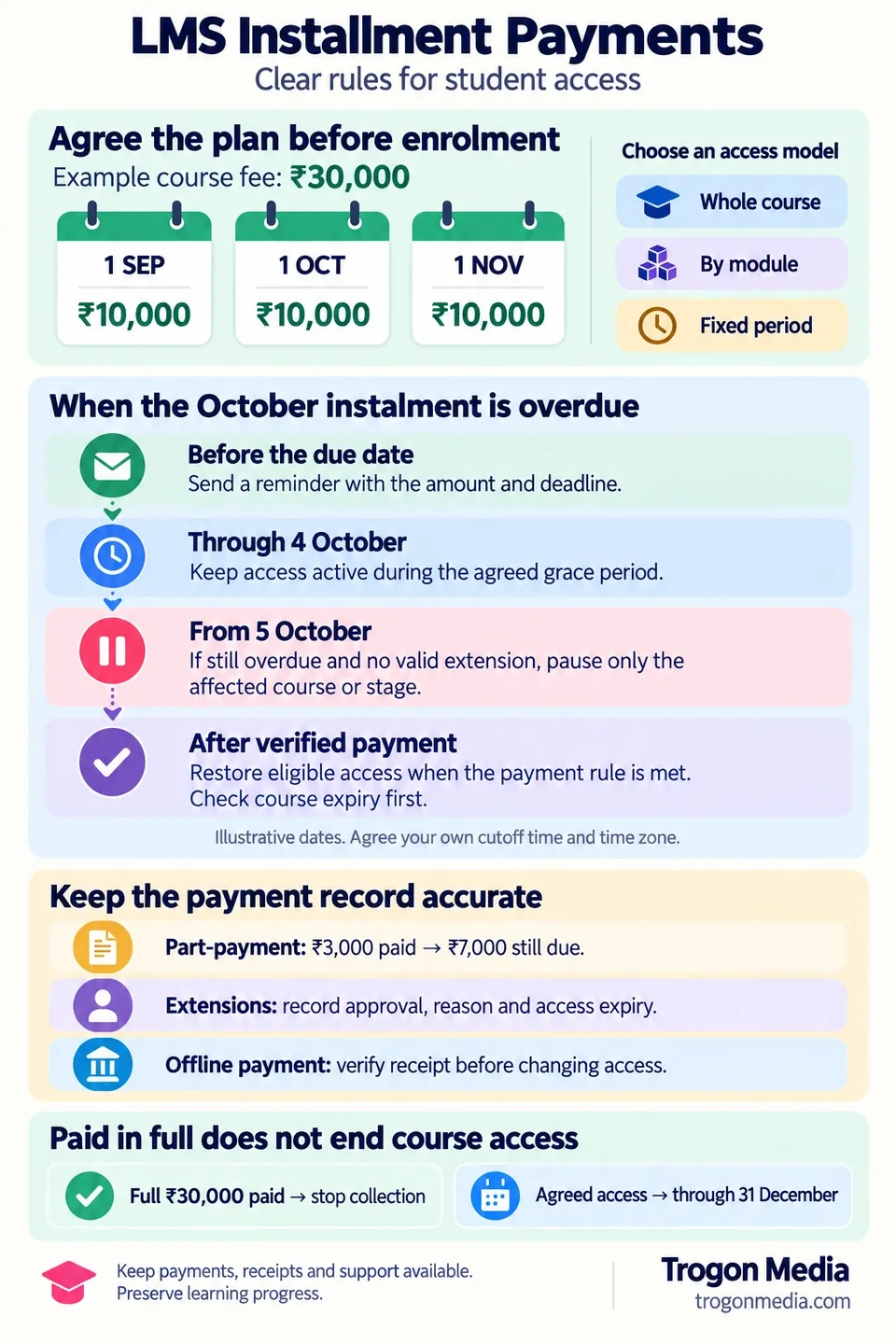
For our ₹30,000 example, the student pays ₹10,000 on enrolment on 1 September, followed by ₹10,000 on 1 October and ₹10,000 on 1 November.
Equal monthly instalments are one option. Your institute may need another:
| Fee structure | Illustrative ₹30,000 schedule | What to define |
|---|---|---|
| Equal monthly instalments | ₹10,000 upfront, then two monthly payments of ₹10,000 | Exact dates for both later payments |
| Deposit and balance | ₹5,000 upfront, then five payments of ₹5,000 | Whether the deposit opens course access |
| Milestone payments | ₹5,000 on admission, ₹10,000 before module two, ₹15,000 before practical training | What happens if a teaching milestone moves |
| Custom dates | Three payments of ₹10,000 on agreed dates | Whether dates follow the batch calendar or individual enrolment |
In each example, the upfront amount forms part of the ₹30,000 total.
Show the schedule at checkout and in the student’s account, including the amount paid, next due date, remaining balance, and course-access expiry.
A fee paid in instalments can still have a fixed total. State when collection ends. If you change a plan for future admissions, keep existing students’ accepted schedules unless you agree a change with them.
If a counsellor agrees that schedule before enrolment, include it in the CRM-to-LMS student handover so admissions and accounts work from the same learner record.
Match student access to your teaching model
Choose the access model when you agree the fee schedule, since three monthly payments don’t automatically mean three months of course access.
Whole-course access after the first payment. Students can use the course from enrolment, subject to the payment schedule and agreed expiry. For a revision course, students might need to revisit any topic throughout the teaching period, regardless of the current month’s instalment.
The tradeoff is that students receive access before the full fee is collected. Your overdue-payment policy needs to explain when that access may pause.
Access by module or stage. A payment opens a defined part of the course. This can suit programmes with separate stages, such as foundation lessons followed by practical training.
Map each payment to named modules. Also decide whether students retain access to earlier paid modules when a later instalment is overdue.
Access for a fixed period. Each payment covers an agreed period. State whether that period follows calendar dates or starts when payment clears, because a late payment could otherwise shift the student’s course end date.
Choose the model around how your institute teaches, including whether different programmes need different access rules.
Be specific about assessments, too. If a student buys a separate test package, an overdue course fee shouldn’t automatically restrict that purchase. Define the relationship between courses and online exams and test series.
Handle overdue instalments with clear rules
We recommend an agreed grace period before restricting the affected course, so students have time to resolve payment problems and can see the deadline.
For LMS installment payments, define this sequence:
- Remind the student before the due date.
- Show the amount still due after the deadline.
- Keep access active during the agreed grace period.
- Apply any authorised extension before restricting access.
- Restrict the affected course if the overdue amount remains unresolved.
- Restore eligible access when the payment rule is satisfied.
Suppose the second ₹10,000 instalment is due on 1 October. For this example, the institute allows access through 4 October and restricts the course from 5 October if payment remains overdue.
That is an illustrative grace period. Each institute should choose its own duration and specify the cutoff time and time zone.
The student’s screen should explain what happened:
Access to this course is paused. Your ₹10,000 instalment was due on 1 October, and the grace period ended on 4 October. Pay the overdue amount or contact the accounts team about an approved extension.
Keep the payment page, receipts, and support route available. Preserve completed lessons, submitted work, and test results so that resuming access doesn’t mean starting again.
Restrict the relevant course or learning stage. Avoid a blanket account lock that also blocks unrelated purchases.
A failed payment attempt should trigger a status check before an access decision. If a later payment has already cleared, an older failure notice shouldn’t make the student overdue again.
Check the course expiry before restoring access. Once the required amount is confirmed, restore access that remains valid under the agreement; if that period has ended, apply the expiry policy.
Record partial and offline payments correctly
A student owes ₹10,000 for October but pays ₹3,000. The overdue balance is still ₹7,000.
Record the payment against that instalment and issue a receipt for the amount received. Keep the November instalment separate: it is upcoming, not overdue.
A part-payment shouldn’t automatically trigger the same access decision as clearing the full overdue amount. Your policy might require the remaining ₹7,000, or an authorised staff member might approve temporary access.
Give exceptions an owner and an expiry
If accounts grants an extension, record:
- The student, course, and instalment it applies to.
- The amount still outstanding.
- The revised deadline and temporary access expiry.
- The approving staff member and reason.
Those details should also guide WhatsApp fee reminders and receipts. A student with an approved extension needs messages that reflect the new arrangement.
When the extension expires, check the current balance and any further approval before changing access. Don’t let an old overdue flag override a valid exception.
Bring cash and bank payments into the same record
If a parent pays ₹7,000 at reception, accounts should record the receipt against the correct student and October instalment. That clears the remaining October balance in this example.
For bank transfers, accounts should verify that the money has arrived and matches the student’s instalment before marking it paid. A screenshot alone shouldn’t change access.
Once verified, update outstanding payment requests so the student isn’t asked to pay the same instalment again. Keep a history of the entries and corrections.
The gateway is one part of this process. Our guide to choosing a payment gateway for your LMS covers that decision. Both collection routes should update the same balance.
Separate refunds, remaining fees, and access expiry
A refund needs a recorded reason and a decision about the fee agreement.
Suppose a student has paid the full ₹30,000, but the institute corrects the agreed fee to ₹28,000 and returns ₹2,000. The balance should remain zero, and course access should continue to its original expiry.
That is different from a student withdrawing.
For a withdrawal, decide what happens to the remaining instalments, any agreed refund, and course access. Record those decisions together. Returning money alone doesn’t specify whether future collection should continue.
Explain partial refunds on the student’s account by showing the revised total, money received, money returned, and any amount still due.
Payment completion has its own rule: once the agreed balance is fully paid, stop future instalment collection. Check the balance before closing the plan. An unpaid final instalment stays outstanding even after its scheduled date passes.
For our example, you might agree access through 31 December even though the final instalment is due on 1 November. The student should keep that access after paying in full.
Show both:
Course fee: paid in full
Course access: available through 31 December
Test LMS installment payments before launch
Test from a student’s account as well as the administrator’s screen. An accounts record marked “paid” is only one part of the check.
Use these five scenarios with test records:
| Scenario | What accounts should see | What the student should experience |
|---|---|---|
| First ₹10,000 payment clears | ₹10,000 received; ₹20,000 remaining; next due date shown | Access matching the selected whole-course, module, or period model |
| Overdue ₹10,000 clears after restriction | Overdue amount cleared against the correct instalment | Eligible access restored, with previous progress retained |
| ₹3,000 part-payment and approved extension | ₹7,000 outstanding, with approval and expiry recorded | Temporary access and reminders matching the extension |
| Remaining ₹7,000 received offline | Verified receipt linked to the October instalment | Updated balance; no request to pay October again |
| Fully paid fee corrected to ₹28,000, with ₹2,000 refunded | Revised fee and net payment both ₹28,000; zero balance | Access continues to the agreed expiry |
Check the exception cases as well. Repeat a payment notification, delay a confirmation, and try a payment after course access has expired. None should add an unintended enrolment, erase progress, or extend access without the agreed rule allowing it.
Include these scenarios in your custom LMS launch testing checklist, with both learners and accounts staff taking part in the pilot.
If your institute is preparing to accept online fees for the first time, our Razorpay setup guide covers account preparation and a first purchase test. Instalment schedules and later access decisions need their own tests.
Common questions about instalments and access
Should one overdue course block other paid courses?
Keep the restriction tied to the affected purchase. If several courses form one paid bundle, define that bundle’s access rules before enrolment.
Do payment reminders automatically collect the next instalment?
No. A reminder with a payment link asks the student to pay, while automatic collection requires a separately configured payment arrangement and authorisation. Tell students which method applies to their plan.
Does paying the final instalment end course access?
Under the approach described here, collection ends once the agreed balance is paid. Access continues until the course’s stated expiry date.
Can a student resume after paying only part of an overdue instalment?
Only if the agreed access rule allows it or authorised staff approve an exception. Temporary access shouldn’t hide what the student still owes: show the remaining balance and the deadline for resolving it.
Build these rules into your Trogon Custom LMS
Trogon Media is a custom LMS development company based in Kerala. Our payment integration experience includes Razorpay, Cashfree, PayU, and bank gateways chosen by clients for their own collection requirements.
With Trogon Custom LMS development, we start with your fee schedules and teaching workflow. We can then agree the access model, reminders, payment verification, and staff exceptions your build needs.
Your requirements might include whole-course access for one programme, module-based access for another, and verified offline payments for both. Bring those differences into the scope before development begins.
Builds start at ₹3 lakh, with recurring infrastructure costs covered through the AMC. Trogon takes no commission on student payments. Our custom LMS development cost guide explains the budget considerations.
Send us one course fee schedule, its access period, and an exception your staff currently handles manually. We’ll discuss how those rules can work in your Custom LMS.
Connect on WhatsAppWhatsApp: +91 96051 31100.