
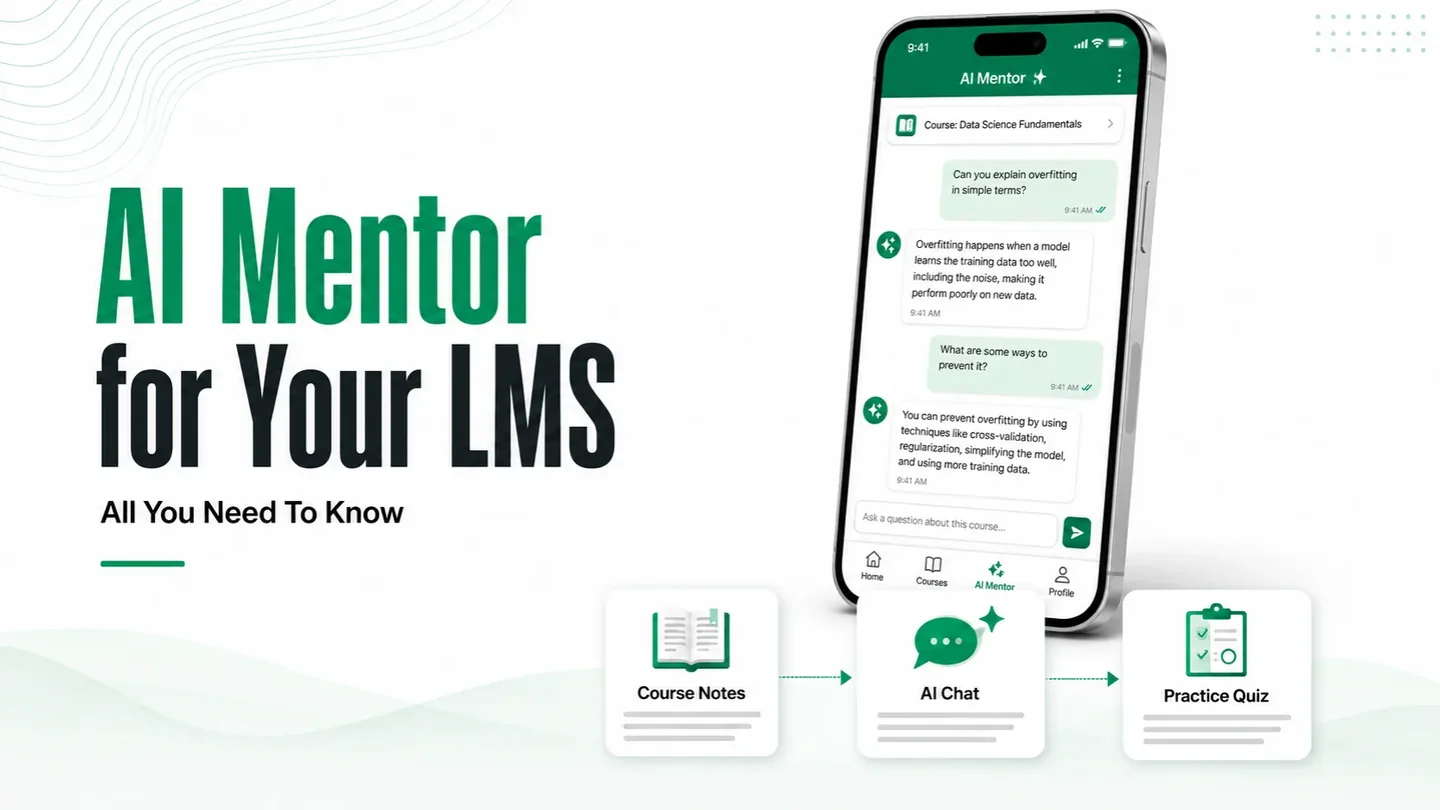
A student opens your app at 11pm, two nights before an exam, and types a question about a chapter you uploaded in June. An AI mentor answers it. Not from the open internet, and not from a model's general knowledge — from your chapter.
That's the whole idea. An AI mentor inside your LMS is a chat assistant that reads only the content you've given it and answers your students inside the platform they already use. It doesn't replace your faculty. It handles the 11pm question your faculty can't.
Three things decide whether it's worth switching on: what it's allowed to read, what each answer costs you, and how much of its behaviour you control. This post covers all three. Across our deployments, an institution with 30,000+ students runs its AI mentor for ₹1,000 to ₹1,500 a month, and we'll explain how that number gets that low — and where it doesn't.
An AI mentor is a chat assistant built into your LMS that answers students only from your own course content. Across our deployments it costs ₹1,000 to ₹1,500 a month at 30,000+ students, because caching and a local AI engine keep most questions away from paid models.
Does an AI mentor actually help students learn?
The evidence is better than you'd expect, and more specific.
A randomised crossover trial at Harvard followed 194 students across two introductory physics lessons, with each group experiencing both an AI tutor and an active-learning class. The AI group's median post-test score was 4.5 against 3.5 for the class, at p < 10⁻⁸, with an effect size of 0.63 by linear regression and 0.73 to 1.3 standard deviations once ceiling effects were accounted for. Students using the AI tutor spent a median of 49 minutes on the lesson, compared with an estimated 60 minutes of learning time in class (Kestin et al., Scientific Reports, 3 June 2025).
A second experiment, reported in an IZA discussion paper, analysed 334 university students. AI tutor access improved test performance by 0.23 standard deviations over textbook-only study. Students with immediate access scored 0.21 standard deviations above those whose access was delayed, although that difference was only marginally significant (p = 0.066) (Fischer, Rau & Rilke, IZA DP 18338, December 2025).
That suggests access rules are worth testing with your own students. It does not establish that every video or test prerequisite should be removed. In the experiment, unrestricted access produced steadier use, while restricted access produced more concentrated bursts of prompting.
Both studies ran in higher education, on students who chose to take part. Neither tells you what happens with a Class 8 batch in Malayalam. Treat them as a reason to try it, not a promised outcome.
What it costs to build
Building a standalone AI tutor can mean commissioning a separate product, with its own development team, timeline and budget. For an institution in Kerala or the Gulf, that can make the feature seem out of reach before the conversation starts.
It doesn't have to be a separate project. The AI mentor ships with the Trogon Standard LMS, so there's no separate build line for it — you configure it against your own course content rather than commissioning it.
What you do pay for is usage. That's a different kind of cost, and it's the one people worry about most.
For the full platform budget, our custom LMS development cost guide separates feature scope from AMC and usage-based expenses.
What the AI mentor costs to run
An AI mentor bills on usage, not on headcount. You aren't paying per enrolled student. You're paying for questions actually asked, and that's a far smaller number than your enrolment suggests.
Across our deployments to date:
- An institution with 30,000+ students, using the mentor regularly, runs it for ₹1,000 to ₹1,500 a month.
- An app with 2,000 students paid ₹1,000 across six months of usage.
Most institutions land somewhere between those two. We'll size yours against your actual content, languages and student count before you commit to anything, so the number in your budget is yours and not a brochure average.
Those figures surprise people, because a straight list-price calculation on a hosted AI model points a great deal higher. Two things bring it down.
Real usage is a fraction of enrolment. Not every student opens the mentor, and the ones who do cluster around exam weeks and go quiet in between. Any vendor charging you a per-student AI price is charging you for students who never type a word.
Most questions never reach a paid model. Our builds put a caching layer and a local AI engine in front of the hosted model, and between them they handle roughly four questions in five. Only about a tenth to a fifth of what your students ask ends up billed as AI usage.
How that works
Three layers sit between a student's question and any paid call.
The cache. Five hundred students in the same batch, on the same chapter, in the week before the same exam, ask substantially the same question. The first one is answered fresh. The rest are served the stored answer instantly. A bigger, more synchronised cohort caches better, not worse, which is why the 30,000-student figure above is lower per student than the 2,000-student one.
The local AI engine. Retrieval, routing, formatting and simple lookups like "when is my next class" run on infrastructure already covered by your AMC. Billed by the server, not by the question.
The hosted model. Kept for what genuinely needs it: a new doubt, a numerical worked step by step, a concept explained a second way because the first way didn't land.
The honest caveat: this works because a syllabus is finite and a batch moves together. A platform where every learner studies something different at their own pace caches poorly, and its running cost sits higher.
Two things that push it up
Language and tokenizer choice affect usage costs. A July 2026 preprint found that Malayalam produced about 2.85 times as many tokens per word as English with the o200k_base tokenizer, with Tamil at 2.57 times. The ratios differed substantially across tokenizers, so multilingual costs should be estimated using the actual model and representative course content (Srivastava, arXiv:2607.24276, July 2026). This is a large part of why we cache aggressively on multilingual deployments: the estimate needs to reflect your languages, rather than an English-only workload.
Voice and image features need separate usage estimates. Handwritten-work recognition, speech to text, spoken answers, generated images and realtime voice have different billing models. Their costs and opportunities for reuse depend on the model and implementation; a text-only estimate will not tell you what a voice-enabled mentor costs.
Our advice is to launch on text, add vision if your students photograph their work, and decide on voice after you've seen a month of real usage rather than before.
All of it sits in your AMC as pass-through infrastructure, the same way video hosting and OTP charges do. You pay what the usage actually costs, at cost. There's no licence fee on top, and no commission on what your students pay you.
Can it answer only from your course content?
Yes, and this is the part worth getting right.
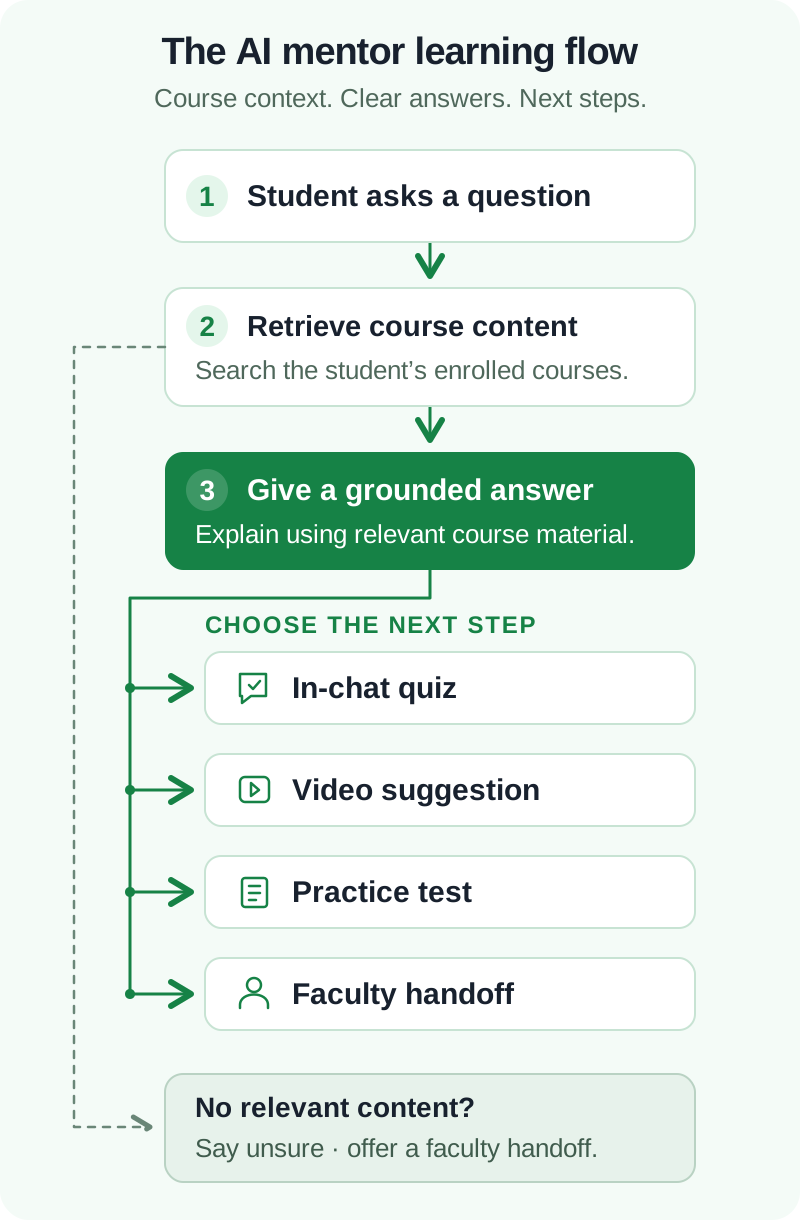
The mechanism is retrieval. Before the model answers anything, the system searches your uploaded material (notes, PDFs, transcripts, question banks), pulls the relevant passages, and instructs the model to answer from those passages alone. If nothing relevant comes back, it says it doesn't know instead of guessing. That last behaviour is a configuration choice, and it's the one that decides whether parents trust the feature.
Three things follow from the same design:
Course-wise content. A student enrolled in NEET Biology gets a mentor that reads NEET Biology. The same student in your Class 11 batch gets a different corpus. The mentor isn't one assistant with everything loaded — it's scoped to whatever the student is enrolled in.
Different content for free and paid users. You can hand a free user your public material and a paying user the full library, from the same chat window. The free user's mentor answers what it can and hits a wall where the paid content begins. Which is useful, and we'll come back to it.
Whatever you add later. Upload a new chapter on Monday, and the mentor can answer from it on Monday. No retraining, no waiting on a vendor release.
Grounding cuts wrong answers sharply. It doesn't eliminate them. The model can still misread a table or fumble a calculation, so a flagged-answer queue that a teacher reviews weekly is worth building on day one, not day ninety.
Safety: what you can control
Four questions come up in every conversation about this, and they have different answers.
Abusive language and sexual content. Controllable, at two layers. Model providers run their own filters, and you add your own on top — a moderation check on the student's message before it reaches the model, and on the answer before it reaches the student. Anything blocked gets logged. For a school, the log matters as much as the block, because it tells a counsellor which student is testing the system.
Suggesting competitors. You can reduce unwanted recommendations by limiting retrieval to your own course material and adding explicit instructions against naming outside providers. These controls should be tested with off-topic and adversarial prompts. Grounding and instructions reduce the risk; they do not guarantee that every answer will stay within your rules.
Promoting your own brand. Yes. The mentor's persona, tone and name are yours to set, and it can be instructed to point students toward your courses when the question calls for it. There's a line worth holding, though. A mentor that pitches during a genuine doubt at 11pm loses the student's trust, and trust is the entire asset here. Sell where it's relevant. Answer everywhere else.
Student data, and the one that gets missed. India's DPDP Act defines a child as anyone under 18. Its child-data provisions generally require verifiable parental consent and prohibit tracking, behavioural monitoring and targeted advertising directed at children. The final Rules include conditional exemptions for educational institutions, so the purpose of processing matters. An identifiable student's chat history is personal data; decide what you collect, who can access it and when it is deleted. Under the notified commencement schedule, the substantive child-data obligations are due to take effect in May 2027, eighteen months after Gazette publication.
If your LMS is a subscription platform, you're relying on someone else's answer to all four of these. If it's your build, the consent flow, the retention period and the moderation thresholds are yours to set. That's the difference, and it's not a feature-list difference.
Turning free users into paying students
The mentor sees something no other part of your platform sees: what a student is confused about, in their own words, before they've paid you anything.
A free user asks three questions about organic chemistry reaction mechanisms. Your paid test series has 400 questions on exactly that. The mentor knows both facts and can say so — not as a banner, but as the honest next step in a conversation the student started. That's a warmer moment than any pop-up you'll ever build.
For adult learners, with appropriate consent and access controls, this can look like the steps below. For children, do not assume an educational exemption permits promotional profiling or targeted advertising.
Practically, this looks like:
- The mentor answers the free question properly. No teasing, no truncated answers.
- Where the useful next resource sits behind the paywall, it names it and says what it contains.
- The enrolment link opens inside the same screen, with the course pre-selected.
- The chat log tells your counselling team which topic pulled the student in, so the follow-up call isn't generic.
That fourth point is where most of the value sits, and it's the one that needs your CRM and your LMS to be the same system rather than two systems syncing overnight.
One caution. Every question you answer well makes the eventual pitch more credible, and every question you cut short to force an upgrade makes it less. Institutions that get greedy here see the mentor's usage collapse within a term.
Quizzes, activities, and what to do next
A mentor that only talks is a support ticket with better manners. The useful version does something at the end of the conversation.
Inside the chat, it can run a quick check: three or four questions on the concept the student just asked about, scored immediately, with the wrong answers explained rather than just marked. That turns a two-minute doubt into a five-minute revision, and it produces a data point your analytics can use.
It can also point outward, into the content you already have:
- Videos. The student asks about integration by parts; the mentor links the 14-minute lecture where you covered it, at the right timestamp if your video layer supports it.
- Study material. The relevant notes or PDF, named, not a link to the library homepage.
- Tests. If the student has fumbled the same concept twice in one conversation, the mentor suggests the practice set that drills it — and if your exam module supports it, generates a short custom set from your question bank on those topics.
- A human. The escalation path. When the mentor is unsure, or the student asks the same thing a third time, it should hand off to a faculty member with the conversation attached.
That last one is the feature institutions skip and then wish they hadn't. Faculty escalation gives students somewhere to turn when the mentor cannot resolve a doubt. The mentor's job is to be the first line, not the only one.
For a coaching-specific example, see how our PSC coaching app plan connects practice mistakes, rank-book explanations and faculty doubt clearing before adding an AI mentor.
The limits worth knowing before you switch it on
Usage spikes, and so does the cost. February won't look like November. Size the estimate on your exam-season peak rather than an annual average, and ask any vendor which one their quote came from.
Voice and image generation change the maths. Their billing models and opportunities for caching differ from text, so budget for them separately. Add them once the mentor has proved itself on text and you have a clearer picture of how students use it.
It will be wrong sometimes. Grounding reduces this a lot. It doesn't take it to zero, especially on calculations. Plan the review queue.
Your content quality becomes the ceiling. A mentor reading disorganised, half-scanned notes gives disorganised answers. Some institutions need a content clean-up before this is worth doing, and that work is theirs, not the developer's.
And the honest disqualifier: if you're running 200 students and your faculty already answer doubts on WhatsApp within the hour, an AI mentor solves a problem you don't have. This earns its cost when the doubt volume has outgrown the people, or when your students study at hours nobody is awake to answer.
Common questions
How much does an AI mentor cost to run?
Less than most people expect. Across our deployments, an institution with 30,000+ students runs it for ₹1,000 to ₹1,500 a month, and a 2,000-student app spent ₹1,000 over six months. Caching, a local AI engine and realistic usage rates are why. We'll estimate yours on your own content before you commit.
Will students use it to cheat?
They'll try. A mentor configured to explain the method rather than hand over the answer makes it a poor cheating tool and a good learning one. That's a prompt and policy decision you make at setup.
Does it work in Malayalam, Tamil, Hindi or Arabic?
Yes, on all four languages the platform supports. Quality is stronger in Hindi and Arabic than in Malayalam or Tamil today.
Can we turn it off for some batches?
Yes. Access is set per course, per batch, or per plan.
Who owns the chat logs?
On your own build, you do. They sit in your database, on your infrastructure, under your retention policy. On a subscription platform, read that contract carefully — it's rarely the same answer.
If you're weighing this up, the question to settle first isn't what AI costs. It's whether your students are asking questions at hours nobody is there to answer them. That's the problem this solves, and the bill turns out to be the small part.
Bring your student count and your languages and we'll work out what it costs on your content, including how much of it the cache absorbs.
Talk through your requirements → trogonmedia.com/contact · or message sales on WhatsApp at +91 96051 31100. No obligation, and if the answer is that you don't need this yet, we'll say so.
AI support on your course content
Work Out What an AI Mentor Costs for Your LMS
Bring your student count and your languages. We will estimate usage on your content, including how much the cache can absorb.
Connect on WhatsApp